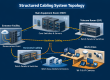
Most office moves run into the same problem: the furniture arrives, but the internet, phones, and network do not work. Technology is the part of a move that takes the longest to arrange, and it is the part that costs you money every hour it is down. Plan it early and your team can sit down on day one and get to work.
3 to 4 Months Before: Plan the Space
- Walk the new space before signing the lease if you can. Check ceiling type, wall construction, existing cabling, and where a network room could go.
- Ask the landlord about building rules: who may run cable, where the internet providers enter the building, riser access, and after-hours work.
- Order internet service immediately. New business internet connections, especially fiber, can take weeks or longer to install. This is the most common cause of move delays.
- Count what must connect: desks, phones, printers, Wi-Fi access points, cameras, door readers, conference rooms, and TVs.
- Get cabling quotes based on a floor plan. See what network cabling costs and how to choose a contractor.
6 to 8 Weeks Before: Design and Build
- Finalize the layout. Mark jack locations on the floor plan, including extras for future growth.
- Schedule cabling installation before furniture and finishes where possible. Cabling is faster and cheaper in an empty space.
- Design the network room: rack, power, cooling, UPS, and lock. Use our network closet checklist.
- Plan Wi-Fi coverage with access point locations wired to the room. See Wi-Fi dead spots.
- Plan security systems: cameras and access control are easiest to install during build-out.
- Decide on phones. If you are switching to VoIP, read what your network needs first.
- Inventory old equipment and decide what to move, replace, or retire. Moving old, failing hardware is a poor use of money.
2 to 4 Weeks Before: Prepare the Move
- Confirm internet install date and ask for a backup plan if it slips, such as a temporary wireless or cellular connection.
- Test every cable run and get the results before moving in.
- Label everything: cables, ports, and equipment. Label devices at the old office and the new one.
- Back up all data and confirm the backup works.
- Notify customers and vendors of new addresses and phone details, and update your website and online listings.
- Plan phone number transfer with your provider early, since porting can take time.
Moving Week
- Move servers and network equipment first, and confirm the internet is working before staff arrive.
- Photograph how equipment is connected before unplugging.
- Have each person pack and label their own computer and peripherals.
- Set up the network room, then workstations, phones, printers, and cameras.
- Test everything: internet speed, Wi-Fi in every room, phones, printers, door readers, and cameras.
- Keep a short list of problems and have a technician available on day one.
After the Move
- Update your network diagram and documentation.
- Change default passwords and update security settings on the new network. Review our network security signs.
- Cancel old internet, phone, and alarm services on the right dates to avoid double billing.
- Ask for a final walkthrough with your installer and collect warranty and test documents.
- Check your lease for restoration requirements at the old location. Some leases require removing cabling when you leave.
Moving Your Office? Start With the Cabling
Scio Info Tech handles cabling, networks, cameras, and access control for office moves across the San Francisco Bay Area, Sacramento, Los Angeles, and California. Tell us your move date and we will help you plan backwards from it.