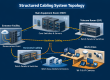
Almost every business has one: a closet, back room, or corner where the internet connection, switches, firewall, and maybe a server all live. It is easy to ignore until something fails. A well-planned server room or network closet keeps your business online, protects your equipment, and makes every future repair faster.
Use this 12-point checklist to see how yours measures up.
The Space
1. Dedicated and Secure
The room should be used for network equipment only, not for storage, supplies, or cleaning products. It should have a lock, and only authorized people should have access. Access control gives you a record of who enters. See our access control guide.
2. Enough Room to Work
Leave clear working space in front of and around racks so a technician can reach equipment safely. Avoid cramped closets where equipment is jammed against walls or under pipes.
3. Cooling and Airflow
Heat shortens equipment life and causes random failures. Closets need ventilation or dedicated cooling, especially when PoE switches and servers run all day. A closet that feels warm to you is too hot for the equipment.
Power and Protection
4. Reliable Power
Use enough electrical capacity, ideally dedicated circuits, rather than overloaded power strips plugged into each other.
5. Battery Backup (UPS)
A UPS keeps equipment running through short outages and gives servers time to shut down safely. It also protects against power surges. Test and replace batteries on schedule.
6. Grounding and Surge Protection
Racks and equipment should be properly grounded and bonded according to code, which protects both people and equipment.
7. Fire and Environmental Safety
Follow local fire code. Keep combustible material out, and consider temperature and water-leak sensors that alert you before damage becomes serious.
Cabling and Organization
8. Racks and Patch Panels
Equipment should be mounted in a rack or on a proper wall bracket, not stacked on the floor or on shelves. Cables from the walls should end on patch panels, with short patch cables to the switches. This is the heart of structured cabling.
9. Cable Management
Cables should be routed neatly, supported, and not strained or tightly bent. Use cable managers and hook-and-loop ties. Neat cabling lets air flow and speeds up troubleshooting.
10. Labels and Documentation
Every cable, port, and device should be labeled, and a simple diagram should show what connects to what. This saves hours during any outage and helps new technicians get up to speed.
Management and Growth
11. Backups and Recovery
Know what is backed up, where the copies are stored, and how long a restore would take. Keep at least one copy away from the room itself, in case of fire, theft, or ransomware.
12. Room to Grow
Leave spare rack space, spare ports, and spare power capacity. Businesses add cameras, phones, and access points over time, and a room with no spare capacity forces expensive redesigns.
Quick Self-Check
Open the door and look. If you see cardboard boxes, cables hanging loose, equipment on the floor, a power strip chain, or no labels, your closet is a risk. Fixing these basics is usually quick, and the cost is small compared with a day of downtime.
Need Help Cleaning Up Your Network Closet?
Scio Info Tech reorganizes and builds network rooms, racks, and cabling for businesses across the San Francisco Bay Area, Sacramento, Los Angeles, and California. We label, document, and test everything so it is easy to manage.