Many businesses are replacing traditional phone lines with VoIP (Voice over IP) systems, which send calls over your internet and network. VoIP can cut phone costs and add features like voicemail to email, mobile apps, and easy moves. But calls are only as good as the network under them. Before you switch, check these basics.
What VoIP Needs From Your Network
- Good cabling to every phone. Most desk phones connect with Ethernet cable. Cat5e works for phones, though Cat6 or Cat6A is a better investment for new installs.
- Power for the phones. Phones are usually powered through PoE, so you need a PoE switch with enough power budget. See our PoE guide.
- Enough internet bandwidth. Each call uses a modest amount of bandwidth, but many simultaneous calls plus video meetings and cloud applications add up. Upload speed matters as much as download.
- A network that prioritizes voice. Quality of Service (QoS) settings and a separate voice network (VLAN) keep calls clear when someone is downloading a large file.
- A reliable router and firewall configured for VoIP traffic.
One Cable or Two?
Most IP phones have a second port so a computer can plug into the phone, which shares one wall jack between the two. This saves cabling, but the phone and computer then share the same cable’s bandwidth, and a problem with that cable affects both. For desks that rely heavily on both, or where you want maximum reliability, run two cables.
Common Causes of Bad VoIP Call Quality
- Damaged or poorly terminated cables: cause dropped packets and static.
- Overloaded or consumer-grade network equipment: cannot keep up during busy times.
- No traffic prioritization: voice competes with downloads and backups.
- Weak or crowded Wi-Fi: wireless phones and softphones suffer from dead spots. See fixing Wi-Fi dead spots.
- Slow or unstable internet: especially low upload speeds.
- Power problems: an overloaded PoE switch can make phones restart.
Don’t Overlook Emergency Calling
Emergency dialing needs special attention with VoIP. Federal rules generally require multi-line phone systems to let people dial 911 directly, without a prefix, and to provide location information that responders can use, such as a floor or room in a larger building. Make sure your provider sets up emergency addresses for each location and that you update them when people or phones move. Because requirements vary by system, ask your provider to confirm that your setup complies.
Pre-Switch Checklist
- Count phones, conference phones, and any lobby or door phones.
- Check that each location has a working, tested network cable.
- Confirm your switches have enough PoE ports and power.
- Test your internet speed, especially upload, and check for stability.
- Put a UPS on the switch and router so phones keep working in an outage.
- Plan how to keep fax, alarm, and elevator lines working. Some use traditional lines and need separate planning.
- Decide who sets up QoS and voice networks, and who supports the system afterward.
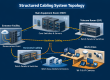
A clean, tested cabling system with a properly sized network is the best way to make VoIP sound great. Start with the basics in What Is Structured Cabling?
Get Your Network VoIP-Ready
Scio Info Tech installs the cabling, PoE networks, and telecom infrastructure behind clear business phone systems across the San Francisco Bay Area, Sacramento, Los Angeles, and California. Tell us about your office and we will make sure your network is ready.