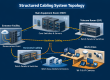
Imagine installing a security camera or Wi-Fi access point in the ceiling without needing an electrician to add a power outlet. That is what Power over Ethernet (PoE) makes possible. It sends electrical power and data together over a single network cable, and it has become standard for modern business networks.
How PoE Works
A PoE-capable network switch (or a small device called an injector) supplies power through the same Ethernet cable that carries data. The connected device, called a powered device, draws what it needs. Modern equipment negotiates automatically, so a device that does not support PoE is not damaged.
What Devices Use PoE?
- IP security cameras
- Wi-Fi access points
- VoIP desk phones
- Access control readers and door controllers
- Intercoms and door stations
- Digital signs and small displays
- Some lighting and building sensors
Why Businesses Use It
- Lower installation cost: one cable per device instead of separate data and power wiring.
- Flexibility: place devices where they work best, not where an outlet happens to be.
- Centralized backup power: put the switch on a battery backup (UPS) and your cameras, phones, and access points stay running during a power outage.
- Remote control: restart a frozen camera or access point by turning off its port from the switch.
- Safety: low-voltage power is generally safer to install and move than line-voltage wiring, though code rules still apply.
PoE Standards in Plain Language
Different PoE standards deliver different amounts of power. The numbers below are the power available at the switch port.
| Standard | Common name | Power at the switch | Typical devices |
|---|---|---|---|
| IEEE 802.3af | PoE | Up to 15.4 W | Basic cameras, phones |
| IEEE 802.3at | PoE+ | Up to 30 W | Wi-Fi access points, PTZ cameras |
| IEEE 802.3bt Type 3 | PoE++ / 4PPoE | Up to 60 W | High-end access points, video phones |
| IEEE 802.3bt Type 4 | PoE++ / 4PPoE | Up to 90 W | Displays, heated or large PTZ cameras |
Planning for PoE: What to Check
- Total power budget. A switch has a limit on how much total power it can supply across all ports. Add up what your devices need, and leave extra room for growth.
- Cable quality and type. Use good quality copper cable. Higher-power PoE heats the cable, especially in large bundles, so Cat6A is often a smart choice for new installations. See our cable comparison guide.
- Cable length. Standard Ethernet, including PoE, is limited to about 100 meters. Cheap or copper-clad aluminum cable can cause voltage drop and failures.
- Backup power. A UPS on the switch keeps critical devices online during an outage.
- Security. PoE devices are on your network, so keep firmware updated and use separate networks for cameras and guests.
Common PoE Problems and Fixes
- Device keeps rebooting: often the switch is out of power budget or the cable is poor quality or too long.
- Device will not power on: the switch may not support the needed standard, or the cable may be damaged or poorly terminated.
- Switch gets hot: check ventilation and total load. Equipment closets need airflow.
- Cameras drop at night: infrared lights draw more power in the dark, which can push a switch past its limit.
Most PoE trouble traces back to cabling and power planning, which is why professional installation and testing pay off. New to the basics? Start with What Is Structured Cabling?
Plan Your PoE Network With Scio Info Tech
We design and install structured cabling, PoE networks, cameras, and access control for businesses across the San Francisco Bay Area, Sacramento, Los Angeles, and California. Tell us what you want to connect and we will plan the cabling and power to match.